Fish finder screen glare can make sonar readings, navigation charts, and underwater targets difficult to see in bright sunlight. Before replacing your display, check whether the problem comes from reflected light, polarized sunglasses, incorrect brightness settings, or the mounting angle. These simple diagnostic checks can help distinguish normal daylight visibility problems from actual screen or power faults.
The sonar marks were obvious on the trailer. At noon on the lake, the same screen seems gray, the map is lost in reflections, and you find yourself shading the display with one hand while trying to steer with the other. Before ordering a bigger chartplotter, ask a better question: what is actually hiding the image? Sun reflected from the glass, a backlight set for night, an awkward viewing position and the filters in polarized sunglasses can produce similar complaints but require different fixes.
Brightness figures alone rarely settle the problem. A display can have a strong backlight and still be badly placed. An adjustable mount can improve the viewing position without changing the electronics. Sunglasses can make a working LCD appear almost black from one orientation yet readable from another. A dirty protective film or scratched coating can add reflections that more watts of backlight won’t remove.
This guide gives you a short diagnosis you can perform safely at the dock, a practical mounting decision framework and verified examples from Garmin and Lowrance documentation. It is not a claim that all brand models share the same menus, screen technology or glare performance. For a true no-power or repeated reboot symptom, use a power diagnostic instead of treating the display as a sunlight problem.
Fish Finder Screen Glare: Diagnose the Cause Before Replacing Your Display
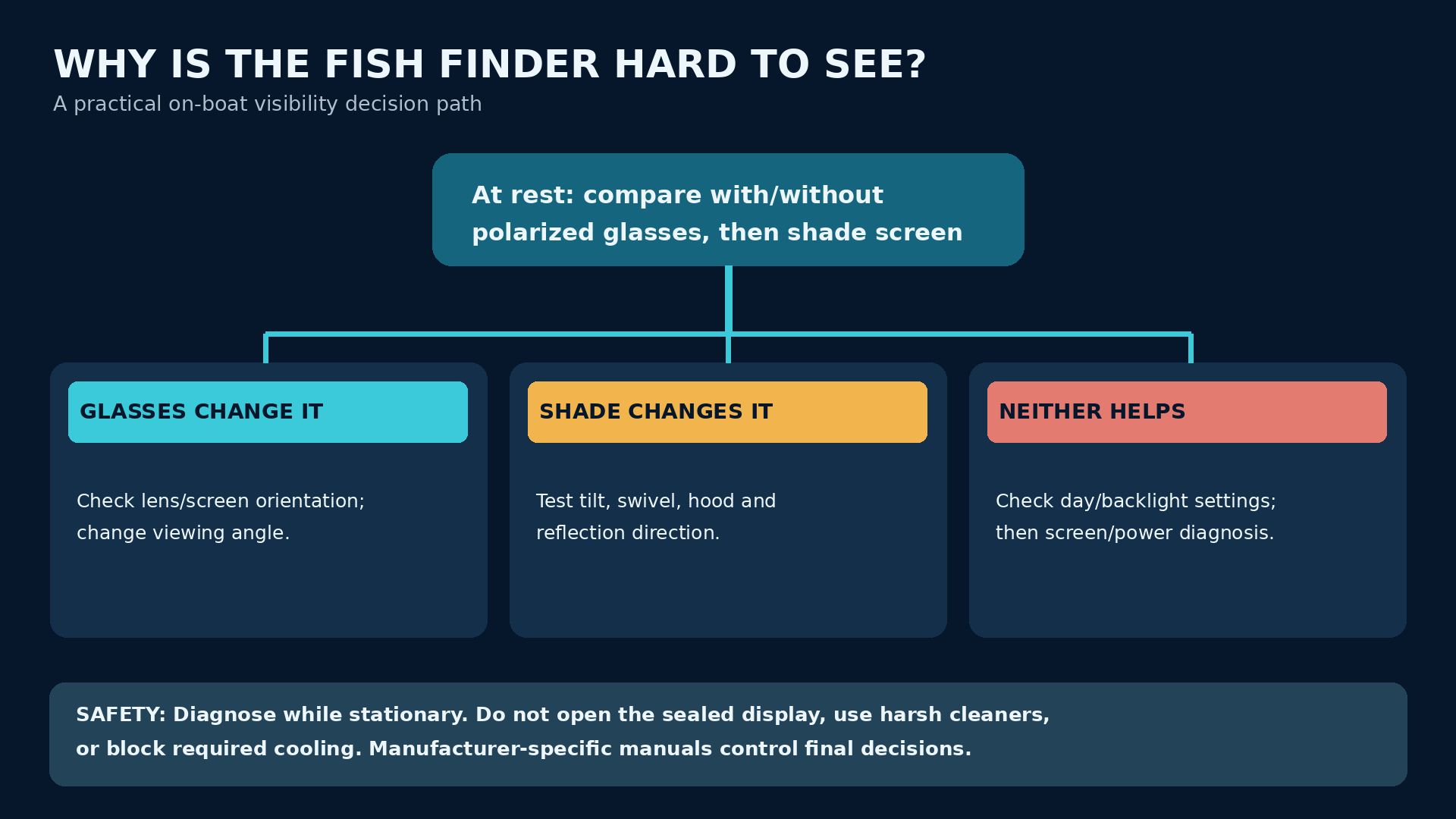
Before changing anything, put the boat in a safe stationary position and leave navigation to the operator. Look directly at the display without sunglasses. Then put your polarized glasses on, tilt your head slightly, change your viewing position and shade the front of the screen with your hand. Finally inspect the backlight/day-night settings on the specific device. Record which change improved visibility. Do not repeatedly tap the power button without knowing the unit’s manual: long presses can have different functions.
| Your observation | Most likely category | Test that distinguishes it |
|---|---|---|
| Looks normal without polarized sunglasses but dark with them | Polarization interaction | Rotate head or change viewing angle while stationary |
| Screen is readable in shade, washed out in direct sun | Reflections or ambient contrast | Temporary safe shading; inspect mount orientation |
| Screen looks faint in every light condition | Brightness or display fault | Check backlight/day color mode per the manual |
| Screen changes a lot when you stand versus sit | Viewing geometry | Test eye-level and tilt before drilling |
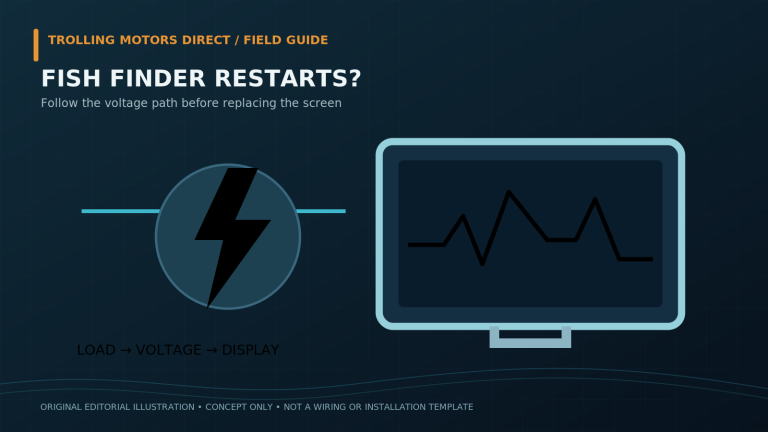
| Entire display powers off or restarts | Electrical supply or internal issue | Diagnose power separately; not a glare fix |
| Irregular cloudy patches remain after exterior cleaning | Possible surface or internal defect | Photograph, avoid opening sealed unit and contact support |
The value of this test is not that it identifies every fault instantly. It prevents a common expensive mistake: buying a replacement screen to solve a problem that follows your glasses or the afternoon sun. Record the exact model and software version, because an HDS PRO, an older HOOK unit and a Garmin ECHOMAP do not have identical interfaces or optical behavior.
Polarized sunglasses can make a good display appear black
Polarized sunglasses are designed to reduce reflected glare from the water. Many LCD displays also involve polarized light. When the orientation of these optical filters conflicts, some displays become dimmer or temporarily appear nearly black through particular sunglasses and viewing angles. The effect varies by lens and screen design. It is not proof of a defective panel or that polarized sunglasses are incompatible with all marine electronics.
The no-cost comparison that matters
While safely stopped, view the same bright static screen first without glasses, then through your polarized glasses. Slightly tilt your head and compare. If the screen changes dramatically while the backlight and scene remain unchanged, you have isolated an optical interaction. Try the mount’s permissible tilt or swivel adjustment, or compare with a different pair of eyewear. Don’t assume a screen hood alone will fix polarization: a hood blocks external sunlight but cannot change the filter orientation inside the glasses or display.
If you must turn your head sideways all day to read the unit, the setup is not acceptable just because the diagnostic works. Position the display so it is legible from your natural steering and fishing posture. Reaching repeatedly for the screen while standing on a moving bow creates unnecessary distraction. A second pair of suitable eyewear may be a fallback, but eye protection and safe navigation remain priorities.
Backlight, day/night mode and synced displays: check settings first
Garmin controls are model-dependent
Garmin’s GPSMAP display settings include Backlight and Color Mode, with an Auto option documented on the referenced series. Garmin’s GPSMAP shortcuts say that on supported models repeatedly pressing the power button can cycle brightness levels, which helps when the screen has been left so dim that menus are difficult to find. These are model-family examples, not an instruction to button-mash on an unfamiliar unit.
Night-oriented color palettes and subdued backlight are useful after sunset but can make a screen look ineffective at midday. On a linked multi-display station, some Garmin models also allow synchronized backlight settings. When two displays look simultaneously dim, check whether station-level settings have changed before concluding that both screens developed the same hardware fault.
Brightness specification versus usable visibility
Lowrance lists the HDS PRO 10 display as a SolarMAX HD IPS panel with a 1280 × 800 resolution, greater than 1,200 nits nominal brightness and 80-degree viewing angles in the stated top/bottom and left/right directions. Those are manufacturer specifications for that model, not comparative on-water test results, and not a promise that any HDS PRO screen defeats all sunglass lenses or reflections. Brightness is one input among mounting, ambient sun, glass condition and the user’s eye position.
A useful shopping comparison asks: Is the screen specified for daylight readability? What does the manufacturer’s exact model page say about brightness or viewing angles? Can I physically position it where I fish? Does it offer enough mounting clearance for a different tilt? Do I need that screen size for my data layout, or is the main complaint only a bad reflection angle? A specification sheet narrows choices; it cannot replace an installation fit test.
Why the screen mount often matters more than another inch of display
Imagine two 12-inch graphs on the same bass boat. One is flush-mounted low in the console beneath a shaded windshield; the other sits high on a bow pedestal tilted backward toward the noon sun. They may have identical screen technology yet feel entirely different to use because the light sources and your eye positions differ. Even a relatively inexpensive change in position can improve the angle of reflected sky and reduce how often you need to move your body to read a depth or target.
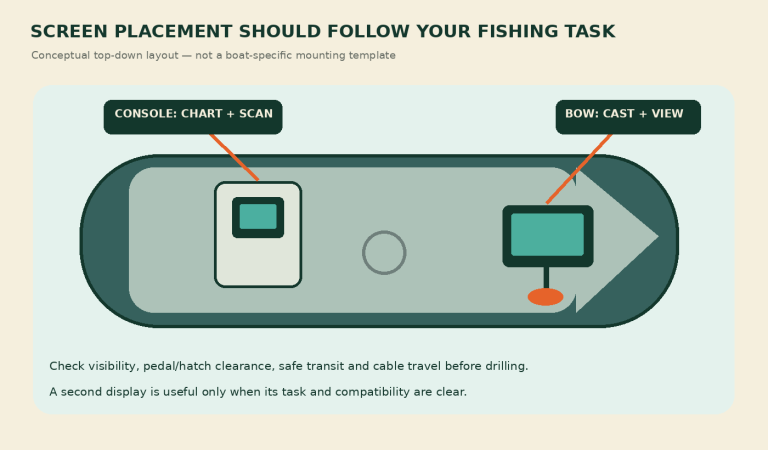
Bow versus console: test from the actual fishing positions
At the bow, stand where you cast and operate the pedal. At the console, sit in the driving position with normal visibility to the water. Use a cardboard rectangle or the real, powered display on a temporary secure mount before drilling. Check whether you can see the full screen without leaning, whether the face is shaded or reflecting sky, whether rods or cable looms will block access, and whether the mounting base can support the display’s weight through trailering shocks.
The existing Trolling Motors Direct article on bow-and-console screen layouts examines whether one graph or two makes sense. This guide takes the different, more specific problem of screen readability in real sunlight. You do not need to buy a second display before checking whether your first one is simply aimed poorly.
Height, swivel range and structural support
Trolling Motors Direct’s Telescoping Swivel Single Monitor Mount is an example of an adjustable electronics-mount approach. The product page states that the mount is CNC-machined aluminum with stainless Allen-head bolts and that deck mounting hardware is not included. It also recommends testing full-height and full-swivel clearance and using suitable deck support. That makes it relevant to this problem: changing sightlines is useful only if the mount remains mechanically secure.
Don’t choose a tall mount solely for higher placement. Consider the force on a raised display when crossing wakes, access to card slots and power plugs, possible windshield contact, and whether the mount interferes with stowing the trolling motor. If your deck is thin, assess backing and the correct fastening procedure before drilling. The manufacturer’s mounting template and hardware guidance govern the installation; a more flexible arm does not make an unsafe foundation acceptable.
Glare, heat and ventilation are not the same issue
A sun hood or canopy may reduce direct light hitting the glass, improving perceived contrast. But an enclosure that traps heat around electronics may be counterproductive. Garmin’s GPSMAP 8×17/8×22/8×24 mounting considerations caution against extreme temperatures and explicitly discuss airflow, ventilation and shading for certain direct-sun/horizontal mounting scenarios. Always follow your unit’s allowable operating and storage temperature limits.
Heat-related automatic brightness changes or warnings depend on model and are not something to guess from a warm bezel. If a screen becomes unreadable only after long exposure, record the duration, ambient conditions and any on-screen warning. Shut it down when the manual directs; do not wrap the display in an insulating cloth or leave the fish finder enclosed in a hot boat compartment. If you suspect an electrical or thermal fault, ask manufacturer support rather than assuming that a brighter replacement is the only solution.
Screen cleaning: do not damage the coating while fixing glare
Sun-dried salt, sunscreen smears and oily fingerprints scatter light and can make reflections worse. The instinct to scrub harder is particularly hazardous with coated displays. Garmin’s ECHOMAP Ultra 2 screen-care instructions, updated in a June 2026 manual revision, warn that ammonia harms the anti-reflective coating. Garmin specifies an eyeglass lens cleaner confirmed safe for anti-reflective coatings, applied to a cloth, and a soft clean lint-free cloth for gentle wiping.
This is a specific manufacturer’s method, not blanket permission to use the same chemical on every brand, protective screen film or third-party coating. Follow your own device manual. Do not scrape dried crystals with a fingernail, polish scratches with household abrasive, apply solvents or spray liquid into connectors. For saltwater exposure, consult the model’s external cleaning directions and ensure that moisture cannot be forced into an unsealed port.
When cleaning is not the cure
External haze that disappears after approved gentle cleaning is one thing. Clouding apparently inside the sealed glass, delamination, a permanent black patch or a screen that does not illuminate under normal conditions needs a different assessment. Photograph the symptom against a known display screen, record conditions and request a warranty or service opinion. Opening a waterproof display can compromise seals and warranty coverage. Do not turn an easily documented defect into an unserviceable unit.
A real-world daylight test before you spend money
Carry out this comparison at rest; keep watch for nearby boats and avoid operating the chartplotter instead of navigating. Photograph the display from the normal driver or angler position without glasses and with the glasses you actually wear. Use the same chart or sonar screen in each image and the same camera exposure if possible. Try three safe mount positions within its approved adjustment range: usual, tilted and shaded. Record which is readable and which causes interference with anything else on the boat.
Then restore normal backlight and daytime colors using the correct manual. If the display is clearer without sunglasses but not with them, the fix may involve orientation or eyewear. If shade provides major improvement even without sunglasses, concentrate on reflections and mounting. If there is no improvement in any configuration, check for display/power faults. Replacing electronics is the last branch of this test, not the first.
| Result of controlled comparison | Likely next investment | What you should NOT assume |
|---|---|---|
| Readable after brightness adjustment | No hardware purchase | Do not attribute dim setting to a bad LCD |
| Readable after swivel/tilt change | Secure adjustable mounting, if your current hardware cannot hold that angle | Taller is not always better |
| Blackout strongly linked to one pair of glasses | Eyewear or orientation choice | Every branded fish finder behaves identically |
| Washed out only under a particular reflection | Shading or placement | Maximum nits guarantee no glare |
| Still unreadable with direct view, correct settings and power verified | Manufacturer support/diagnostic service | The screen itself is definitely defective |
What to compare when buying a new fish finder
A buyer should start with purpose. Is this display used for mapping at driving distance, live sonar while standing, or a combination of split panes? For a bow unit, ask whether the screen can be rotated toward the angler and mounted without blocking the trolling motor’s movement. For the console, consider windshield clearance and sightlines. If you routinely fish at sunrise and noon, test both lighting conditions rather than assuming the best setup for one is ideal for the other.
Compare documented display features, mounting geometry, available chartplotter connections, transducer compatibility and warranty/service options. Do not choose solely from a retailer’s generic “sunlight readable” tag. Trolling Motors Direct’s fish finder buying guide covers sonar and screen choice; its electronics and mount selection guide covers mounting configurations. Confirm any desired accessory against the specific graph’s size and bolt pattern before checkout. The site’s contact team can check a model and boat fit when supplied with dimensions and photos.
An expensive high-resolution display is worthwhile for some anglers, especially those running multiple panes. But no display should be sold as a magic fix for an unspecified optical problem. The strongest purchase decision is documented: the angle you use, the sunlight that hits it, the glasses you wear and the actual manufacturer specification for the model you intend to buy.
FAQ: hard-to-see fish finder displays
Why does my fish finder go black when I put on polarized sunglasses?
Some combinations of polarized sunglass lenses and LCD screens filter light at conflicting angles. Compare with and without glasses at rest, then gently change viewing angle. If the screen is otherwise normal, the issue may be optical rather than electrical. It is model- and eyewear-dependent; do not assume every unit behaves this way.
Is buying a brighter fish finder the best first fix for glare?
No. Confirm the backlight/day mode, remove exterior residue using the manufacturer’s method, test a different tilt and safely shade the face. A screen with an impressive brightness specification can still reflect a bright sky or sit at an awkward angle. Consider replacement after a controlled test proves the hardware no longer suits your use.
Should I put a generic screen cleaner on my chartplotter?
Not without checking the model manual. Garmin warns that ammonia harms its ECHOMAP Ultra 2 anti-reflective coating and specifies a lens cleaner safe for anti-reflective surfaces applied to a clean soft cloth. Other brands and third-party films may have different rules.
What if my screen goes dim only after it sits in hot sunlight?
Record temperature conditions and any warnings, and check the device’s environmental and ventilation requirements. Do not obstruct cooling to create shade. Heat can be a separate installation or hardware issue; manufacturer support is appropriate if the symptom repeats even with compliant mounting.
Will a telescoping or swivel mount solve the problem?
It may allow a better viewing angle and reduce reflections, but it cannot cure a faulty panel or guarantee compatibility with polarized glasses. Verify mounting strength, display fit, deck clearance and the correct fastening hardware before buying or drilling.
How do I know whether the problem is electrical instead of optical?
A display that actually switches off, reboots or loses power needs a power diagnosis. A display whose picture remains present but becomes invisible through certain sunglasses or sunlight suggests an optical or configuration issue. If unsure, document the exact symptom and avoid opening energized wiring.
Make your existing screen earn its place on the boat
You do not have to accept a monitor that is readable only in the driveway. Start with controlled viewing tests, distinguish sunglasses from reflections, set the correct backlight and color mode, then use a mount that places the display where your eyes naturally work. Clean with the manufacturer’s approved method, respect ventilation and document true faults. If the outcome really points to different hardware, compare verified electronics mounting options and send Trolling Motors Direct your display and boat details before spending. The best fish finder is one you can read safely and consistently on the water—not simply the one that looked brightest on a shelf.