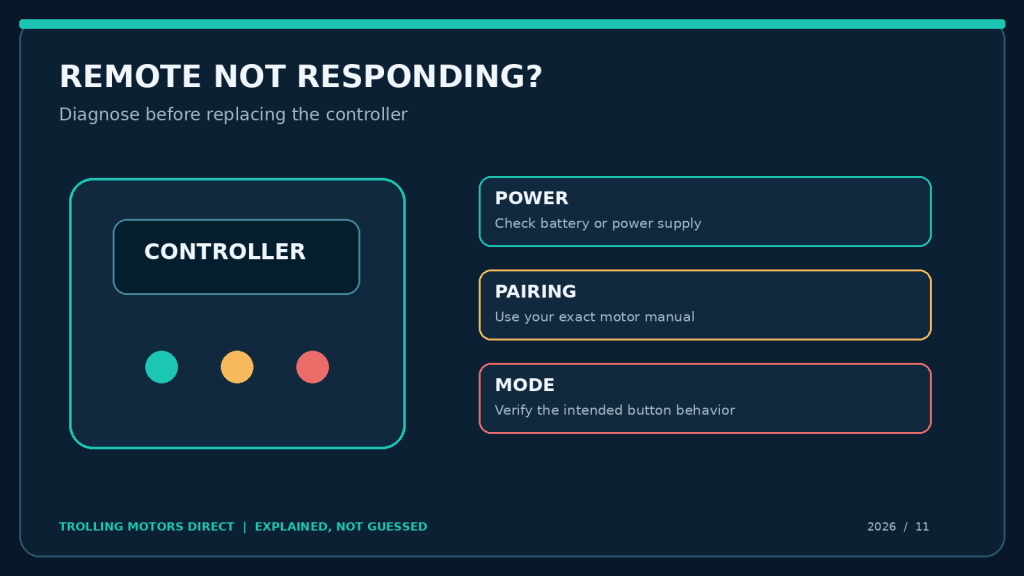
Trolling motor remote or foot pedal not responding? Before replacing equipment, check the controller’s battery power, wireless pairing, LED indicators, and operating mode. These initial checks can help distinguish a controller problem from a motor communication or configuration issue.
The batteries look fine. The trolling motor head has power. Yet the remote will not steer—or the wireless foot pedal gives a quick red flash, then nothing. Replacing the remote seems like the fastest route back to fishing, until the new one behaves exactly like the old one.
An unresponsive controller is a symptom, not a diagnosis. On Garmin Force Pro and Force Kraken motors, a foot-pedal indicator can show you whether the pedal is communicating. On Lowrance Recon, a FreeSteer joystick pairs over Bluetooth and a remote originally supplied with the motor is normally pre-paired. The Lowrance Ghost is different again: its main pedal is corded, while the optional TMR-1 is a separate wireless controller. Treating those three control architectures as interchangeable creates unnecessary expenses and unsafe surprises.
This practical guide separates exhausted batteries, lost pairing, control-mode confusion, incorrect accessory choice and genuine faults. It focuses on what an angler can observe and document, with model-specific steps only where the manufacturer supplies them. Work at the dock, with the propeller clear of people and obstacles. Never use a remote pairing experiment as a reason to operate a motor unexpectedly in open water.
Trolling Motor Remote or Foot Pedal Not Responding? Check What Still Works
Before removing batteries or buying anything, ask four questions. Does the motor power on normally? Does another approved control still command it? Does the suspect controller illuminate or display a status? And is the failure on every function or only one button—such as Anchor Lock, heading hold or the speed wheel?
These answers tell you which layer to investigate. If neither the onboard controls nor the remote work, motor power or a motor fault may be involved. If one control works and the other does not, the suspect controller’s power, connection, pairing or configuration deserves attention. If steering works but GPS anchoring does not, stop calling it a “dead remote” and investigate the specific mode, GPS and calibration requirements.
| Symptom at the dock | More useful working hypothesis | First low-risk step |
|---|---|---|
| Handheld has no display or LED response | Controller power or battery contact | Install known-good approved batteries, check polarity |
| Garmin pedal flashes red when a button is pressed | Pedal is not connected to motor | Verify motor on, then follow model-specific pairing instructions |
| Garmin pedal flashes green on button press | Pedal reports connection and command transmission | Check motor mode, behavior and any error indication |
| Recon remote powers on but motor does not react | Bluetooth pairing, motor state or control setting | Record on-screen state and check official Recon pairing guidance |
| Ghost corded pedal works, TMR-1 does not | Optional wireless remote-specific problem | Check TMR-1 model, battery, manual and pairing status |
| Steering works but Anchor Lock button does not | Mode, disabled button, GPS or calibration issue | Check mode and manufacturer button settings |
| All controllers fail together | Motor supply, protection or motor error may be involved | Stop and investigate the motor power/error state safely |
Three very different control systems under one “trolling motor” label
Garmin Force Pro and Force Kraken: remote plus optional or included wireless pedal
The Force Pro normally includes a handheld remote and wireless pedal. The Kraken comes with a handheld remote; a compatible foot pedal can be purchased separately. Each controller has its own batteries or supported power method and pairs to the motor. Garmin’s manuals publish specific LED states and separate pairing sequences for the remote and pedal. A screen that works while the pedal fails does not by itself prove that the motor is defective.
Garmin also supports control from compatible chartplotters and, on supported models, other devices. Those can help narrow a failure but should not be used as a casual workaround when the motor is giving an error or behaving unpredictably.
Lowrance Recon: FreeSteer is not the Ghost remote
Recon uses the FreeSteer joystick controller, with an LCD, Bluetooth pairing and anchor-jog functions. Its wireless foot pedal is included in certain packages and optional in others. The remote supplied in the original Recon box is normally already paired. A replacement FreeSteer remote needs the documented pairing flow; it is not automatically a plug-and-play replacement for the Ghost’s TMR-1.
The Recon can store more than one paired FreeSteer remote, according to the published operator manual, but an individual remote associates with one motor at a time. If someone borrowed a remote to test another boat, its most recent pairing deserves a look. Do not assume the original motor forgot the remote simply because the remote can still turn on.
Lowrance Ghost: distinguish the corded foot pedal from the optional TMR-1
The Ghost’s primary pedal is physically wired into the system, while Lowrance’s optional TMR-1 handheld adds remote steering, speed and anchoring. This is not the same fault path as a Garmin wireless pedal. If the Ghost pedal controls the motor but the optional remote does not, focus on the remote accessory and its documented setup. If the corded pedal itself fails, inspect the approved motor/pedal arrangement and service guidance rather than trying to Bluetooth-pair a wired control.
The no-tools diagnostic sequence
Step 1 — Make the situation safe and reproduce one symptom
Secure the boat; keep fingers, fishing line and tools clear of the prop. Disable propulsion according to the manufacturer’s instructions before examining the pedal or remote. Only perform a controlled functional check when the motor can safely run without moving the boat or injuring anyone. Note the exact behavior: a blank remote display, a red LED, a pairing message, a beep, an error code, or a steering response without prop activation.
A short phone video of the button press and motor indicator is often more diagnostic than “remote broken.” Capture the motor model plate and the accessory’s printed part number. Without these, a dealer cannot reliably confirm compatibility.
Step 2 — Replace simple battery uncertainty with evidence
A remote can display a low-battery warning, or it can behave intermittently long before you notice one. Check the correct battery chemistry, quantity and polarity in the model manual, then use known-good cells. Garmin’s Force wireless controllers use AA batteries in the configurations specified in their manuals; the Force handheld replacement listed by Trolling Motors Direct uses two AA cells. Avoid mixing old and new cells or different chemistries in one battery compartment.
Check contacts visually for moisture, corrosion or deformation. Do not bridge contacts with a metal tool. If a case seal is damaged or water has reached electronic parts, stop and follow manufacturer service instructions. Keep the battery door dry and clean before closing it. A battery change is a legitimate first test; a pile of battery changes without checking the pairing indicator is not a diagnostic plan.
If the pedal is wired for power, verify the specific allowed supply in its manual. A wireless pedal that accepts optional wired input does not make every foot pedal a 24 V accessory. Do not connect controller power to a motor bank on guesswork.
Step 3 — Read the indicator instead of guessing
For Force Pro and Kraken foot pedals, Garmin documents: green on power-up; blue while pairing; green flash when a pressed button sends a command while connected; red flash when a pressed button is not connected; and no light while idle even when connected, to conserve battery. An unlit idle pedal may therefore be normal. The informative observation is what happens during a button press, not whether a status lamp glows constantly.
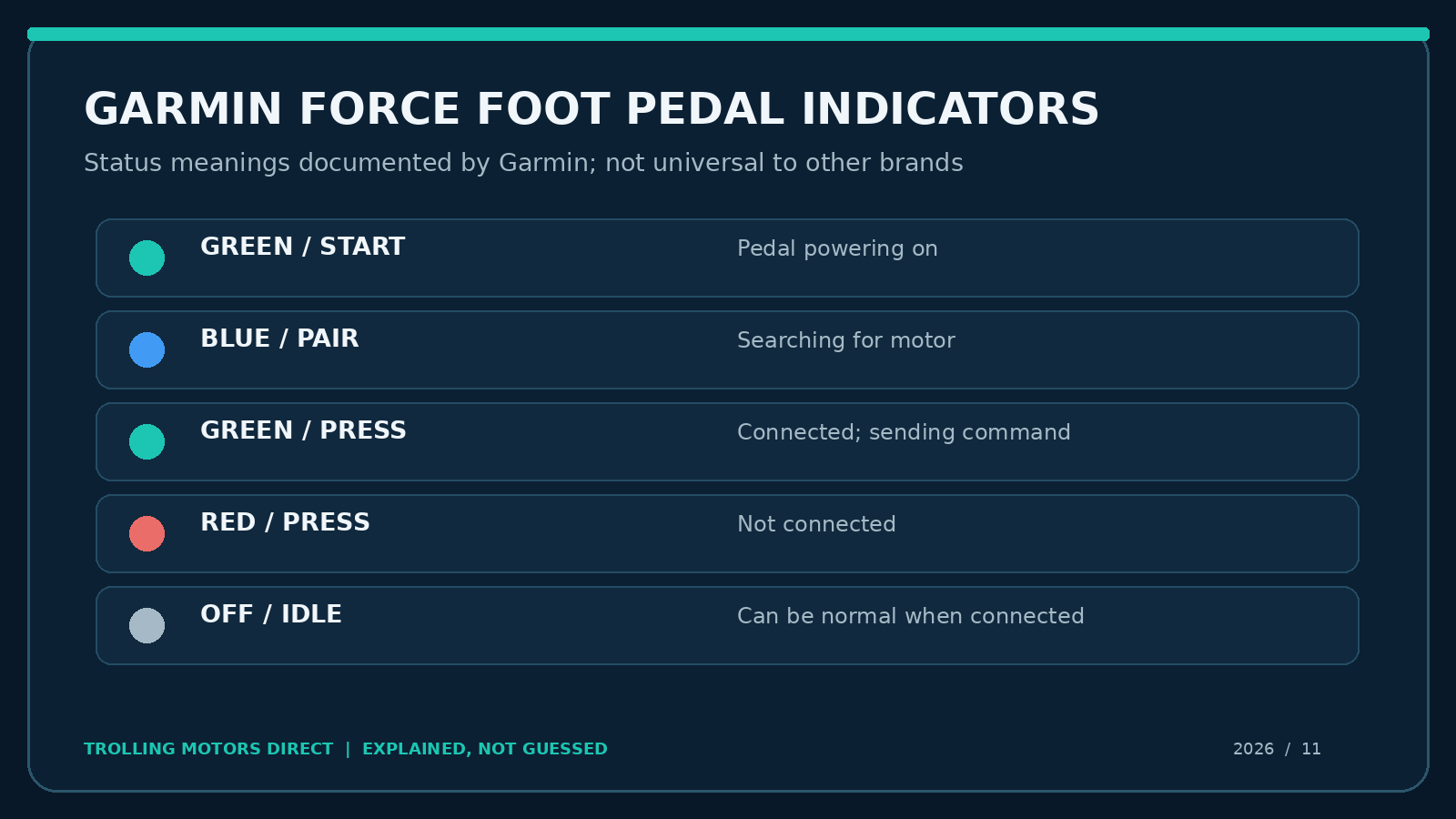
Diagnostic illustration based on Garmin’s published LED-state descriptions. It is not a photo of an actual pedal and does not apply to all brands.
| Garmin pedal status | Published meaning | Sensible next move |
|---|---|---|
| Green as it powers on | Starting up | Allow normal startup; then test a button |
| Blue while pairing | Seeking a connection | Follow the pairing sequence precisely |
| Green flash during a command | Connected and sending | Look at motor response, mode and alarms |
| Red flash during a command | Not connected | Check power/range and re-pair as directed |
| Off between commands | May be normal idle | Press an appropriate button to assess status |
Step 4 — Confirm that the button is supposed to do something in this mode
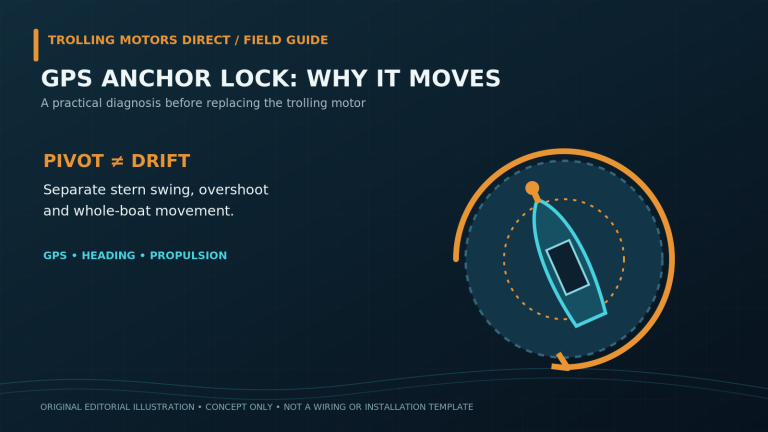
A speed wheel may not operate during GPS anchoring. Garmin’s Kraken pedal manual explicitly says its speed wheel is inactive during anchor lock. A pedal movement may also exit an autopilot mode, depending on the model and setting. If a user is testing the wrong control against the wrong operating mode, the remote can be perfectly healthy and still seem unresponsive.
Some Garmin autopilot buttons can be individually disabled or enabled by pressing the button six times rapidly. Garmin documents this for the relevant Force pedal. If the steering pedal still works but just the Anchor Lock or heading hold button appears dead, consult the specific pedal manual before replacing hardware. Do not randomly repeat key combinations, because they can change configuration and make the symptoms harder to trace.
Step 5 — Verify pairing on the exact motor family
Pairing should be a targeted next step when the signs support lost connection, not a ritual for every fault. The factory normally pairs a motor and its supplied controller. A newly purchased remote, replaced electronics or controller previously associated with another motor may need deliberate pairing. Confirm the model/version of the manual before entering pairing mode.
Garmin Force Pro and Kraken: the manufacturer-documented pairing path
Pair the Garmin foot pedal
Garmin’s Force Pro and Kraken manuals describe this general sequence:
- Turn on the motor and press the motor display-panel power button three times to enter pairing mode. The sync indicator turns blue.
- Put the foot pedal within 1 m (3 ft) of the trolling-motor display panel.
- Insert the specified pedal batteries or connect its supported power cable.
- Within 30 seconds of powering the pedal, hold the pedal’s anchor-lock button until its status indicator turns blue, then release.
- Wait for the motor sync indicator to turn green. Test a safe command; a green pedal flash when pressed supports a working connection.
The exact panel icon may differ in appearance by manual revision. Follow the on-screen or printed instructions and do not press power repeatedly after a pairing indication appears. If the LED times out, document it before attempting any further model-approved sequence.
Pair the Garmin handheld remote
For the Force Pro and Kraken handhelds, Garmin instructs the owner to turn on the motor, put its display panel into pairing mode with three presses of the power button, keep the handheld within 1 m, and select the remote’s Settings → Remote Control → Pairing → Pair → Start path. The remote reports completion. Additional-remote pairing is a different workflow: Garmin specifies initiating it from an already-paired controller and allows up to two handheld remotes connected at the same time. If you lost the only original remote, do not assume the additional-remote sequence applies.
Garmin’s original Force manual revisions use slightly different menu labels. Use the manual for your exact model, not a screenshot from a different generation. Pairing a remote does not calibrate its gesture-control compass; Garmin requires separate calibration for gesture steering.
Lowrance Recon: approach a powered-on FreeSteer remote differently
The Recon’s FreeSteer controller communicates by Bluetooth. For a replacement FreeSteer remote, use the Bluetooth pairing procedure in the current official Lowrance Recon operator manual for your exact model and software version. Follow the official manual’s instructions for confirming pairing mode, interpreting status indicators, and positioning the devices during pairing. Verify this sequence against the current official manual shipped for your Recon and software version before using it.
Why the extra care? Lowrance documentation for Recon distinguishes the FreeSteer handheld from the advanced wireless pedal, and its features or software versions can change. Read the error code if the remote presents one. Record the current software shown in the app or display; consult Lowrance’s official support/downloads page for the approved update path. Do not install an unverified file or assume a particular version number is the newest without checking Lowrance on publication or service day.
For a Recon foot pedal that does not respond, also determine how that pedal is powered—battery versus supported wired connection—and whether its own pairing is intact. The remote’s menu route is not a substitute for the pedal’s specific instructions.
Lowrance Ghost TMR-1: solve the optional remote problem without disabling the whole boat
When a Ghost steers normally from its corded pedal but the TMR-1 does nothing, inspect the TMR-1 battery, physical condition and manufacturer pairing instructions. The Lowrance TMR-1 is marketed for Ghost speed, direction and anchor commands. It is not a Recon FreeSteer controller.
One Ghost operator-manual revision describes a special troubleshooting flow if the TMR-1 indicator never turns green during pairing. Because that flow involves factory reset and subsequent reconfiguration, do not execute a factory reset as a routine first step. It can erase settings and require recalibration. Verify the exact motor, remote and manual revision with Lowrance technical support and document settings before any reset. A known-good Ghost pedal and a nonresponsive optional TMR-1 should not automatically become a total-motor service event.
Three field scenarios that avoid buying the wrong part
Scenario A — a Garmin pedal flashes red, yet the handheld works
A bass boat’s Force Pro holds Anchor Lock from the remote. The pedal’s LED flashes red every time a button is pressed. That is a meaningful sign: Garmin identifies the red pedal flash as not connected. The owner tests known-good batteries, checks motor power, and performs the Force Pro-specific pairing sequence beside the motor. If the LED becomes a connected-command green flash and the pedal steers safely, the evidence favors a connection problem rather than a burned-out steering motor. If it remains red, the recorded indicator is valuable for Garmin support.
Scenario B — the Recon remote displays menus but the boat does not steer
A guide can see the FreeSteer menu, so “dead batteries” is too broad. A second approved control can operate the Recon. The guide checks the remote’s pairing status and whether the unit was recently associated with another Recon, then follows the correct manual after securing the boat. If the screen displays an error, that code goes into the report. Purchasing a Ghost TMR-1 would not be a solution; the accessory is not interchangeable.
Scenario C — the Kraken speed wheel seems broken only during Anchor Lock
The Kraken sits on GPS anchor and its pedal’s steering or buttons still respond, but the speed wheel seems useless. Garmin’s pedal documentation says speed-wheel changes are inactive during anchor lock. That behavior may be normal; it does not justify replacing the pedal. Test the permitted control in the appropriate mode under safe conditions before treating a design limit as a component failure.
Buying a replacement controller: four compatibility checks
Do not choose a remote merely because the package says “GPS trolling motor.” Match the exact motor family and part number, check whether it is an original replacement or optional upgrade, confirm how it is powered, and ask whether the new unit requires pairing or a software update. If the motor is still under its manufacturer’s warranty, document the failure and ask about service before making a purchase.
| Motor family | Control to identify | What to verify before ordering |
|---|---|---|
| Garmin Force Pro | Included handheld and wireless pedal | Exact supported replacement part, model and firmware |
| Garmin Force Kraken | Included handheld; pedal optional | Verify compatible accessory and any software requirements |
| Lowrance Recon | FreeSteer joystick and model-specific optional/included pedal | FreeSteer part, pairing and variant’s box contents |
| Lowrance Ghost | Corded main pedal; optional TMR-1 handheld | Do not substitute a Recon FreeSteer remote |
The Trolling Motors Direct catalog currently lists the Garmin Force handheld remote, Garmin Force foot pedal, Lowrance FreeSteer joystick for Recon and Lowrance TMR-1 for Ghost. These are verified catalog pages, not automatic promises of interchangeability across motor generations. The store specifically asks buyers to confirm the model before purchasing electronics, which are final sale.
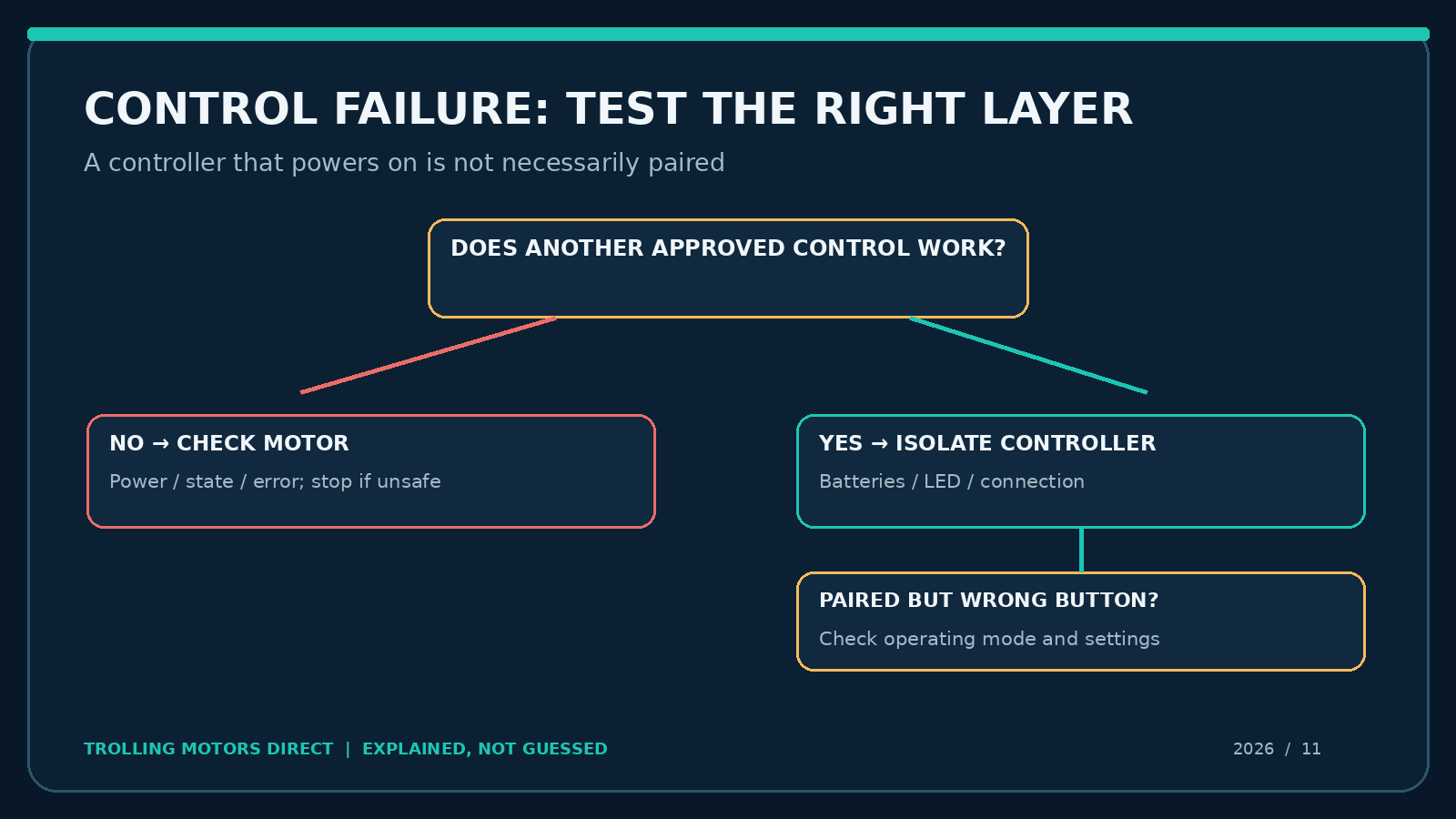
Flowchart: distinguish the controller’s type, power, communication status and operating mode before selecting a replacement.
An eight-point dockside sign-off checklist
- Motor model, generation and controller part number recorded accurately.
- Propeller area cleared and the boat secured before functional checks.
- Known-good, permitted batteries installed with correct polarity; contacts visually inspected.
- Controller display or LED behavior captured on video.
- Other approved control tested separately to determine whether the fault is isolated.
- Operating mode and any disabled programmable/autopilot button checked.
- Pairing verified using the exact manufacturer documentation, not a generic video.
- Error codes and software versions recorded; support contacted before resets or purchases.
Keep the result as a small service note: initial symptom → one change → observed result. It is easy to forget that the remote first failed only in Anchor Lock after you’ve changed batteries, paired twice and reset settings. This log protects the next diagnostic step.
Frequently asked questions
Why is my Garmin trolling motor foot pedal LED dark?
Garmin says an idle, already connected Force pedal may turn its LED off to conserve battery. Watch what it does when you press an appropriate button. A green flash means connected/command sent; a red flash means not connected. A completely unresponsive pedal may still need a power or battery check.
Does a Kraken foot pedal work straight out of the box?
Garmin says the Kraken pedal is sold separately and publishes its pairing procedure. It may need pairing, and exact functionality can depend on supported firmware. Confirm the accessory against your Kraken model before buying.
How close should a Garmin remote be when pairing?
Garmin’s Force Pro and Kraken instructions specify within 1 m (3 ft) of the trolling motor during pairing. That is a pairing condition, not a claim about normal operating range.
Can I use the Lowrance Ghost TMR-1 with a Recon?
No. Lowrance lists the TMR-1 for Ghost and FreeSteer for Recon; Trolling Motors Direct explicitly notes that they are not interchangeable.
Why does the remote steer but Anchor Lock not engage?
If normal steering works, investigate GPS availability, the particular mode, calibration and possibly a disabled command button. Do not assume a lost wireless connection solely from one nonfunctional feature.
Should I factory-reset a Ghost to fix remote pairing?
Not as the first action. One Ghost manual includes a reset within a particular TMR-1 fault workflow, but a reset may require restoring settings and recalibration. Follow the exact revision and manufacturer support guidance rather than resetting from a generalized article.
Does a Garmin Force Pro control failure mean the motor itself is bad?
Not necessarily. A separate approved control working normally, plus an indicator showing loss of pairing, points the investigation toward the controller or its connection. Persistent errors, unexpected motion or multiple-control failure still warrant manufacturer service.
Should I replace the controller before contacting the retailer?
Send the controller part number, motor model, a photo of its label and the recorded indicator behavior first. The store’s contact form explicitly requests model and fit information. The right accessory is more valuable than a quick purchase that cannot pair.
Make the next fishing trip a controlled test, not a surprise
A remote or foot pedal should let you focus on fishing, not troubleshoot from a drifting deck. The best purchase decision starts by separating battery power, pairing, accepted commands and motor mode. Test one variable at a time, use the exact manufacturer manual, and stop when the motor behaves unpredictably. For an uncertain replacement, send Trolling Motors Direct your motor and controller model numbers plus the failure video before ordering. That protects against a nonreturnable electronics mismatch and helps narrow the right repair.