Garmin LiveScope is live sonar: a transducer on your trolling motor or a pole that shows fish, brush and your lure moving on a Garmin chartplotter as it happens. If you’re buying new in 2026, start with LiveScope 2 (the LVS44). It reaches 250 ft, plugs straight into a compatible chartplotter and costs $1,999.99 here. The HD model is for close-range casting, XR is for deep water, and LiveScope Plus is the cheaper route if you already own a GLS 10 sonar box.
What Garmin LiveScope shows you
Regular 2D sonar draws a scrolling history of what passed under the boat. This draws a live picture instead. Fish swim across the screen, bait balls shift, and you can watch a jig fall and see a fish come up to it.
The beam is a thin fan. On LiveScope Plus and LiveScope 2 it’s 20 degrees thick, per Garmin. Anything outside that slice doesn’t show, so you aim the transducer the way you’d aim a flashlight.
Every current version runs three views. Which ones you get depends on how the transducer is mounted.
Forward view
The transducer looks out ahead of the boat. Distance runs left to right and depth runs top to bottom. It’s the view you’ll cast with, because you can find a brush pile out in front, throw past it and watch the bait come through.
Down view
The transducer points straight below the boat. It’s the view for vertical jigging, crappie in standing timber and ice fishing. You see bait and fish under you live, not as arches scrolling off the screen.
Perspective view
Perspective tilts the beam so it lies flat across the water. You get a top-down picture of what’s around the boat, a bit like a live map of grass edges, docks and schools. You need the Perspective mount for it. Garmin’s barrel and shaft mounts give Forward and Down only.

The four Garmin LiveScope versions
There are four current LiveScope transducers for open water. Two need the GLS 10 sonar module and two don’t.
LiveScope Plus (LVS34)
LiveScope Plus came out in 2022. It runs 530 to 1,100 kHz, and Garmin’s install manual lists a maximum of 200 ft. At launch Garmin said it gave 35% better target separation than the original LVS32.
It needs a GLS 10. The LVS34 we sell ($1,299.99) is the transducer only.
LiveScope XR (LVS62)
XR is the long-range model. Garmin rates it at up to 500 ft in fresh water and 350 ft in salt water.
The transducer is bigger, about 8.2 x 4 x 2.8 inches, and runs a lower frequency, which gives up some detail to gain distance. It also needs a GLS 10. Garmin pitches it for coastal and open water.
LiveScope 2 (LVS44)
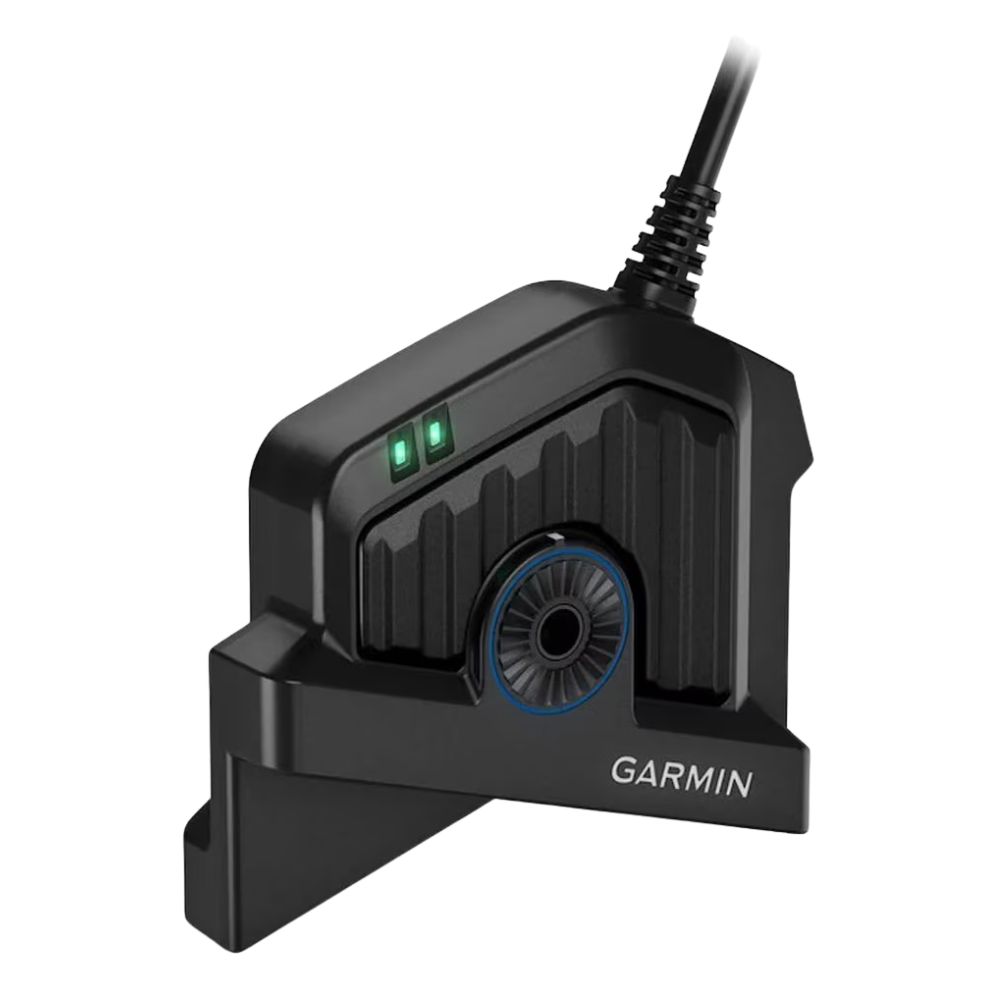
Garmin launched LiveScope 2 on July 7, 2026. The processing now sits inside the transducer, so there’s no black box. Garmin says the LVS44 has 20% more resolution and 25% more range than LiveScope Plus, out to 250 ft. It runs 600 to 1,050 kHz.
It also adds image stabilization, an onboard water temperature sensor, and a water sensor that shuts the sonar off when the transducer comes out of the water. The forward beam is 165 degrees wide and the Down and Perspective beams are 180 degrees, per the install manual.
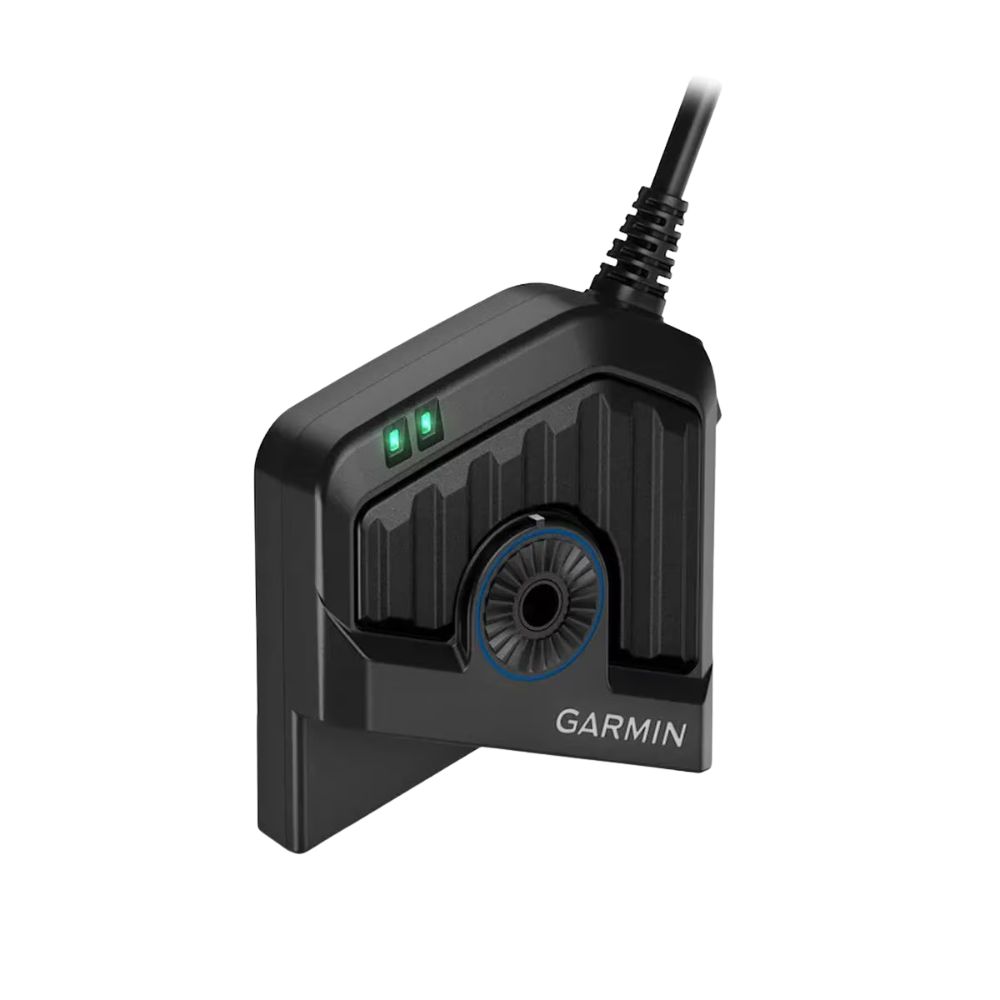
In the box you get the transducer, an adjustable Perspective shaft mount, a trolling motor barrel mount, a power/network cable with an adapter, an adapter disc for the Force Kraken’s transducer mount, and hardware. The transducer cable is 18 ft. Garmin lists the LVS44 at 3.9 lb with cable.
LiveScope 2 HD (LVS42HD)
The LVS42HD is the close-range model. It runs higher, 850 to 1,600 kHz, and tops out at 125 ft. Garmin says it shows up to 50% more detail at closer ranges than the previous generation.
If most of your fish are within a long cast, this gives the sharper picture. It costs $200 more than the LVS44 and comes with the same mounts.
| Spec | LVS34 (Plus) | LVS62 (XR) | LVS44 (LS 2) | LVS42HD (LS 2 HD) |
|---|---|---|---|---|
| Max range, per Garmin | 200 ft | 500 ft fresh, 350 ft salt | 250 ft | 125 ft |
| Frequencies | 530 to 1,100 kHz | Lower than LVS34 | 600 to 1,050 kHz | 850 to 1,600 kHz |
| Forward beam | 20 x 135 degrees | 20 x 135 degrees | 20 x 165 degrees | 20 x 165 degrees |
| Needs GLS 10 | Yes | Yes | No | No |
| Our price | $1,299.99 (transducer only) | $2,499.99 (transducer only) | $1,999.99 | $2,199.99 |
Garmin notes that all of these ranges depend on salinity, bottom type and water conditions. Treat them as the ceiling, not what you’ll see every day.
The GLS 10 sonar module and when you need it
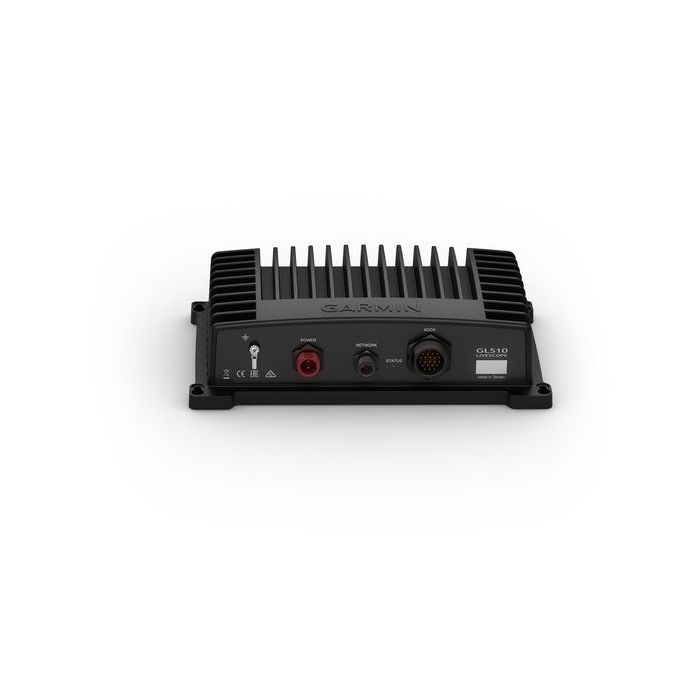
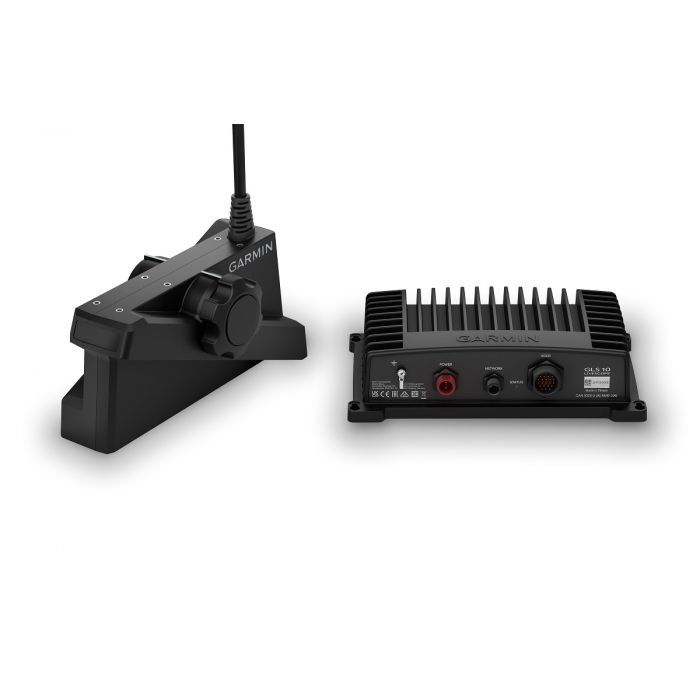
The GLS 10 is the black box that does the processing for the LVS34 and LVS62. The transducer plugs into it, and it connects to the chartplotter over the Garmin Marine Network. The LVS44 and LVS42HD don’t use it.
You need a GLS 10 sonar module ($599.99) if:
- You’re buying the LVS34 transducer for a boat that has never had live sonar.
- You’re buying the LVS62 transducer alone at $2,499.99. The XR system at $2,999.99 already includes a GLS 10.
You don’t need one if you already own a GLS 10 from an earlier setup. Garmin made the LVS34 and LVS62 work with existing boxes through a software update, so an upgrade can be transducer only.
From Garmin’s manual: 10 to 32 V input, 21 W typical and 58 W max, and a 7.5 A fast-acting fuse. The box measures 9.7 x 5.9 x 2.6 inches and weighs 4.33 lb, so find it a dry spot in the console or a compartment.
Which chartplotters work with Garmin LiveScope
It only runs on networked Garmin chartplotters. It won’t work on a Humminbird or Lowrance graph, and Garmin’s STRIKER fish finders don’t have the network port it needs.
For LiveScope 2, the compatibility list covers these Garmin units:
- ECHOMAP UHD2: 63sv, 64sv, 73sv, 74sv, 93sv and 94sv.
- ECHOMAP Ultra and Ultra 2: the 10 and 12 inch sv models, plus the 16 inch Ultra 2.
- GPSMAP x23 and x43: the 7, 9, 12, 15 and 16 inch models.
- GPSMAP 8400 and 8600: the 10, 12 and 16 inch models, plus the 8700 black box.
- GPSMAP 9000 and 9200: the full series, plus the 9500 black box.
Every Garmin graph in our graphs section is on that list except the GPSMAP 1042xsv and 1242xsv. The GPSMAP 1022 in our bundle deals isn’t on it either. If you own one of those, or anything older, email us the model before you order.
LiveScope 2 connects with a Garmin BlueNet cable. If your chartplotter only has the older Garmin Marine Network port, use the adapter that comes with the power/network cable. Garmin’s manual says the chartplotter software must be updated when you install it, so do that at the dock, not on the water.
For LiveScope Plus and XR on a GLS 10, Garmin’s list at launch covered the GPSMAP 8400/8600, GPSMAP x2 Plus, GPSMAP x3, ECHOMAP Ultra and the 7 and 9 inch ECHOMAP UHD. The 7 and 9 inch ECHOMAP UHD2 sv models, the ECHOMAP Ultra 2 and the GPSMAP 9000 series work too.
Screen size
Screen size matters more with live sonar than with 2D. Garmin’s own advice is that bigger screens show more detail. The GPSMAP 9000 series runs 3840 x 2160 pixels, the GPSMAP x3 series 1920 x 1080 and the 9 inch ECHOMAP UHD2 1024 x 600.
A common setup is live sonar full screen on one display and the map on another, held by a telescoping swivel double monitor mount. Our Garmin fish finder guide goes through the units in more detail.
Power and wiring basics
A clean picture starts with the wire. Garmin’s install manuals and its own blog give clear numbers, so follow them.
- Measure the run: Garmin says to plan about twice the measured distance. If the mount is 15 ft from the battery, buy 30 ft of wire.
- Use heavy wire: Garmin recommends 10 gauge marine wire from the bow to the back. For the LVS44 and LVS42HD, the manual allows spliced extensions of 10 AWG up to 15 ft, 8 AWG up to 23 ft and 6 AWG up to 36 ft.
- Keep the fuse: The GLS 10 and both new transducers use a 7.5 A fast-acting fuse. Garmin says removing it can cause problems and voids the warranty.
- Wire it right: The new transducers come with a Y-split power cable. Red goes to positive through the fuse, black to negative.
- Leave a service loop: Leave about 10 inches of slack at the motor’s rotating joint so the cable doesn’t pull tight when you steer.
- Stay under 50 ft: Transducer extension cables plus spliced power wire can’t total more than 50 ft on the new models. Garmin sells 3 ft and 10 ft transducer extensions, up to 20 ft combined.
That manual gives wire sizes for both 12V and 24V systems, so either kind of boat is covered.
Mounting a Garmin LiveScope transducer
Where you put the transducer decides how you aim it. There are three main ways to do it.
On the trolling motor
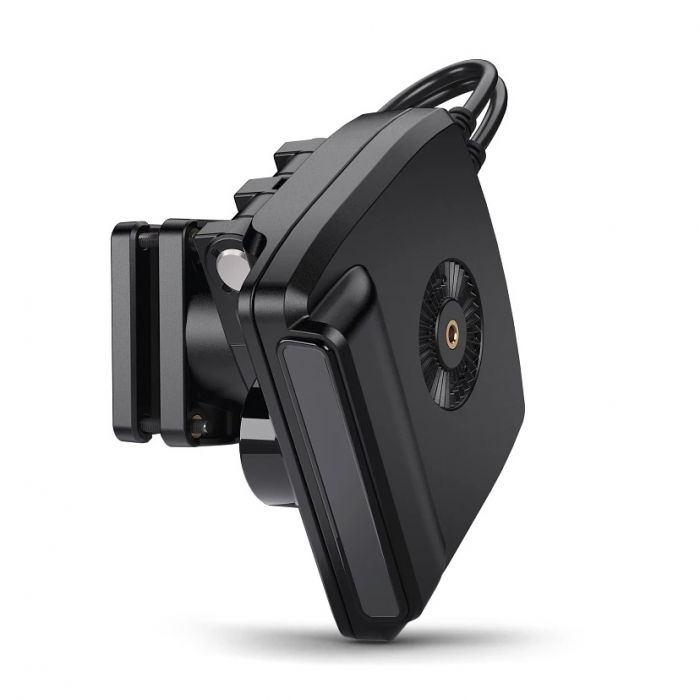
The barrel mount hose-clamps to either side of the motor’s lower unit and gives Forward and Down. The Perspective mount goes on the shaft, 1.25 inches or larger, and gives all three views. Garmin recommends the rubber liner on shafts under 1.5 inches.
On a Force Kraken, the LVS44 or LVS42HD can sit on the Kraken’s bottom mount using the adapter disc in the box, and that spot supports all three views. The catch with any motor mount is that the transducer points wherever the motor points, so the picture swings every time you steer.
Spy Pole
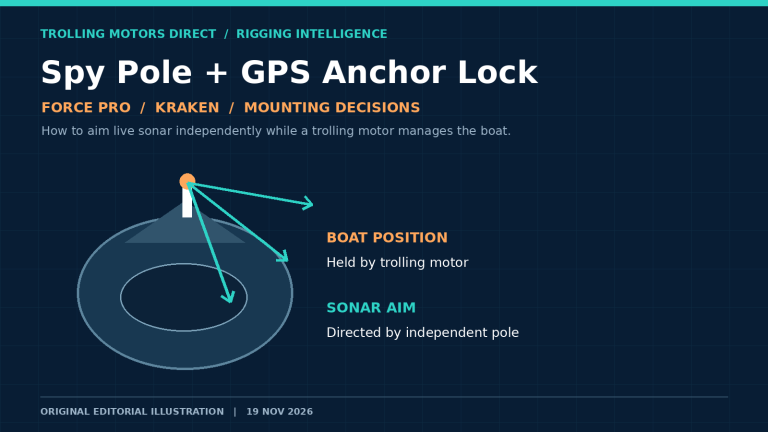
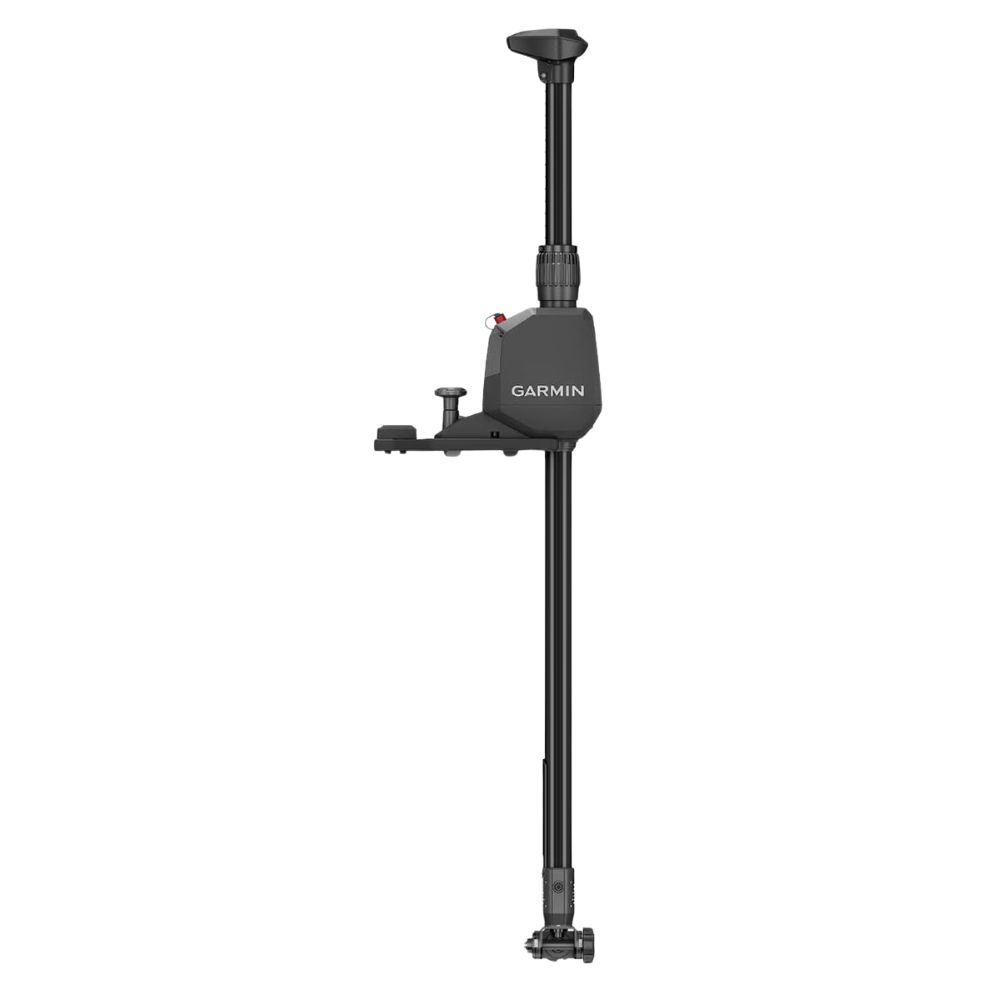
Garmin’s Spy Pole ($1,999.99) is a motorized pole that turns the transducer on its own. It mounts to a Force or Force Pro motor, or to a gunnel mount sold separately, and comes in 42 or 49 inch lengths. Garmin says it works with any LiveScope transducer.
SpyLock holds the beam on a spot while the boat moves. SpyScan sweeps back and forth to search. With a Force Pro, SpyLink lets the motor’s foot pedal steer the pole, even in anchor lock. You can also run it from the wireless foot control in the box, a gesture remote or the chartplotter.
Add the GT360UHD transducer ($999.99) and the same pole gives you 360 degree scanning sonar next to the live view.
Machined mounts
We also carry machined aluminum mounts for people who want something between a fixed motor mount and a Spy Pole.
- Live View Transducer Mount ($333): holds the transducer on the trolling motor so it follows the motor. Listed for Garmin Force and several Minn Kota and MotorGuide motors.
- Cable Steer ($475): turns the transducer with a knob by your graph, through a 10 ft cable. Listed for Garmin Force, Lowrance Ghost and most Ultrex, Fortrex and Maxxum motors.
- Live Sweep ($1,099): a 12V arm that turns the transducer up to 320 degrees on its own, run from a wired or wireless pedal and a remote fob. Kraken and Recon versions are $1,500.
- Handscope ($265): a manual pole you turn by hand, in 52 or 62 inch lengths.
- Over the Side Mount ($389): a telescoping, swiveling deck mount that holds a Live Sweep, Handscope or Cable Steer off the side.
- Switchback Mount ($295): spring-loaded, so you pull and turn to switch between Forward/Down and Perspective. It’s listed for the LVS32 and LVS34, so ask us before pairing it with an LVS44 or LVS42HD.
All of these are in our transducer mounts section.
Settings to start with
The picture is usable out of the box, but a few settings make a big difference. Garmin’s own setup tips cover most of them.
- Color limit: adjustable from 30% to 90%. A higher number hides more clutter. Move it until the background goes quiet but small fish still show.
- Color gain: raise it to bring out weaker returns. Lower it, or raise the color limit, to clean up the screen and make the beam look narrower.
- Ghost reject: Garmin suggests Auto. It cuts false returns, such as ghost trees, while still tracking targets.
- Noise reject: set it to Low or Off when you want to follow a lure.
- Palette: on the LVS34, amber, blue and black emerald are popular. The new models add Moss, a single-color palette that’s easy on the eyes, and Lava, a high-contrast option for murky water.
- Range: a longer range shows more water with less detail. In Forward, the usual advice is to set it a little past your longest cast.
Garmin’s tip is to spend a couple of hours on the water just changing settings and watching what each one does. Do it on a calm day near cover you already know.
Getting the angle right
Each view needs the transducer at the right angle, and the mounts have notches and marks so you can check it. On the LVS34, the Perspective bracket sits at 11 degrees and the shaft bracket at 8 degrees. If you rarely switch views, Garmin offers low-profile hardware that replaces the adjustment knobs.
What each setup costs
Here’s what you’d order from us for each version, before mounts and a chartplotter.
| Setup | What to order | Our price |
|---|---|---|
| LiveScope 2, new install | LVS44 transducer | $1,999.99 |
| LiveScope 2 HD, new install | LVS42HD transducer | $2,199.99 |
| LiveScope Plus, new install | LVS34 transducer + GLS 10 | $1,899.98 |
| LiveScope XR, new install | XR system (LVS62 + GLS 10) | $2,999.99 |
| Upgrade, GLS 10 already on the boat | LVS34 or LVS62 transducer | $1,299.99 or $2,499.99 |
If you need a chartplotter too, the ECHOMAP UHD2 93sv without a transducer is $1,199.99. It’s the lowest-priced Garmin graph we sell that runs every version.
Our Garmin LiveScope bundle pairs the LVS34 and GLS 10 system with the Live View trolling motor mount. Check the product page for the current price.
Gear in this guide

Which version we’d buy
For most new installs, the LVS44. A new LVS34 setup costs $1,899.98 with the GLS 10, about $100 less. You give up 50 ft of range and you have a box to mount and wire.
- Bass and crappie inside casting range: the LVS42HD. 125 ft is farther than you’ll cast.
- One transducer for everything: the LVS44.
- Deep reservoirs, big open lakes, coastal water: the XR system.
- You already own a GLS 10: the LVS34 transducer at $1,299.99 is the cheapest way in.
- Ice fishing: the LVS34-IF ($1,299.99), the ice fishing version of the LVS34, which also needs a GLS 10.
Against MEGA Live and ActiveTarget
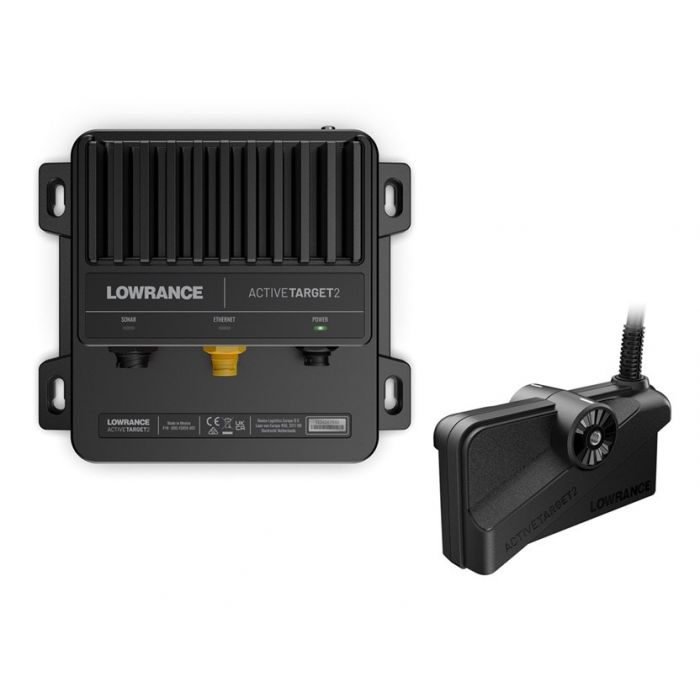
Humminbird MEGA Live 2 ($1,599.99) and Lowrance ActiveTarget 2 ($1,399.99 for the system) do the same job on their own brand of graph. None of the three works on another brand’s display, so the graph you own usually decides it.
On paper, Humminbird’s manual gives MEGA Live 2 up to 150 ft. The LVS44 goes to 250 ft and XR further still. Our forward facing sonar comparison puts all three side by side, and our MEGA Live 2 guide covers the Humminbird option.
Questions about Garmin LiveScope
Does Garmin LiveScope need a black box?
LiveScope 2 (LVS44 and LVS42HD) doesn’t. The LVS34 and LVS62 need the GLS 10 module, which is included in the XR system but not with the LVS34 transducer.
How far can a Garmin LiveScope transducer see?
Garmin lists 125 ft for the LVS42HD, 200 ft for the LVS34, 250 ft for the LVS44 and 500 ft in fresh water for the LVS62. Salt water, bottom type and water conditions all cut that down.
Is Garmin LiveScope Plus still worth buying?
If you already have a GLS 10, yes. The LVS34 transducer alone is the cheapest upgrade. For a boat starting from scratch, the LVS44 costs about the same and doesn’t need the box.
Will LiveScope work on a Humminbird or Lowrance graph?
No. It only works with compatible Garmin chartplotters. Humminbird and Lowrance each have their own live sonar.
Is there a Garmin LiveScope for ice fishing?
Yes. We sell the LVS34-IF ($1,299.99), which needs a GLS 10 like the standard LVS34. Garmin also makes a LiveScope 2 HD ice transducer with a shorter, flexible cold-water cable, which we don’t stock.
Electronics are final sale here, so check compatibility before you order. Email sales@trollingmotorsdirect.org with your boat, trolling motor and chartplotter model, Monday to Friday, 9am to 6pm, and we’ll tell you exactly what you need.