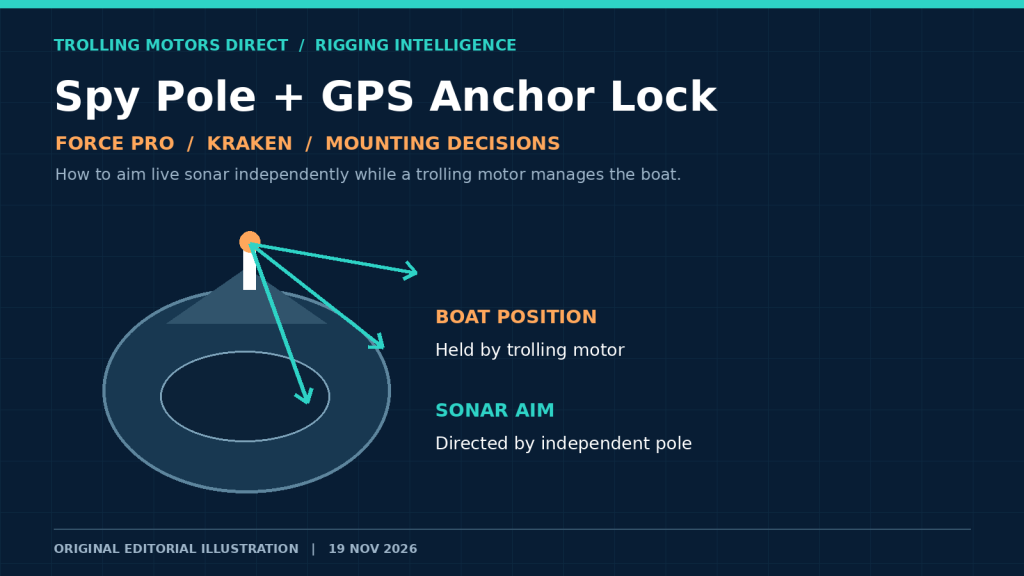
Your boat is holding over a brush pile. The trolling motor points into a changing breeze to keep you there, but the fish you want to watch are off the starboard bow. If the live-sonar transducer turns whenever the trolling motor steers, every correction changes what appears on the screen. That is not necessarily a sonar failure. It may be a mounting decision.
A Garmin Spy Pole setup addresses this problem by allowing a compatible LiveScope transducer to be aimed independently of the trolling motor. It also introduces new decisions: where the pole can safely mount, what SpyLock, SpyScan, and SpyLink actually control, whether your Force or Force Pro is different from a Force Kraken, and what to check before spending money on parts. Here is a rigging-focused guide—not a general comparison of fish finders—that separates verified manufacturer guidance from aftermarket claims.
Quick answer: Garmin says Spy Pole can attach directly to the scissor-style Force and Force Pro, while the pivot/shaft-style Force Kraken requires a vessel-mounted gunnel solution for Garmin-supported installation. Garmin also documents different foot-pedal behavior during Anchor Lock by motor model. An aftermarket Kraken bracket is listed by Trolling Motors Direct, but a retailer’s fit claim should not be mistaken for Garmin’s approved mounting guidance. Check Garmin’s current compatibility guidance before choosing a layout.
Why the sonar beam moves when your boat holds still
Steering direction and viewing direction are different jobs
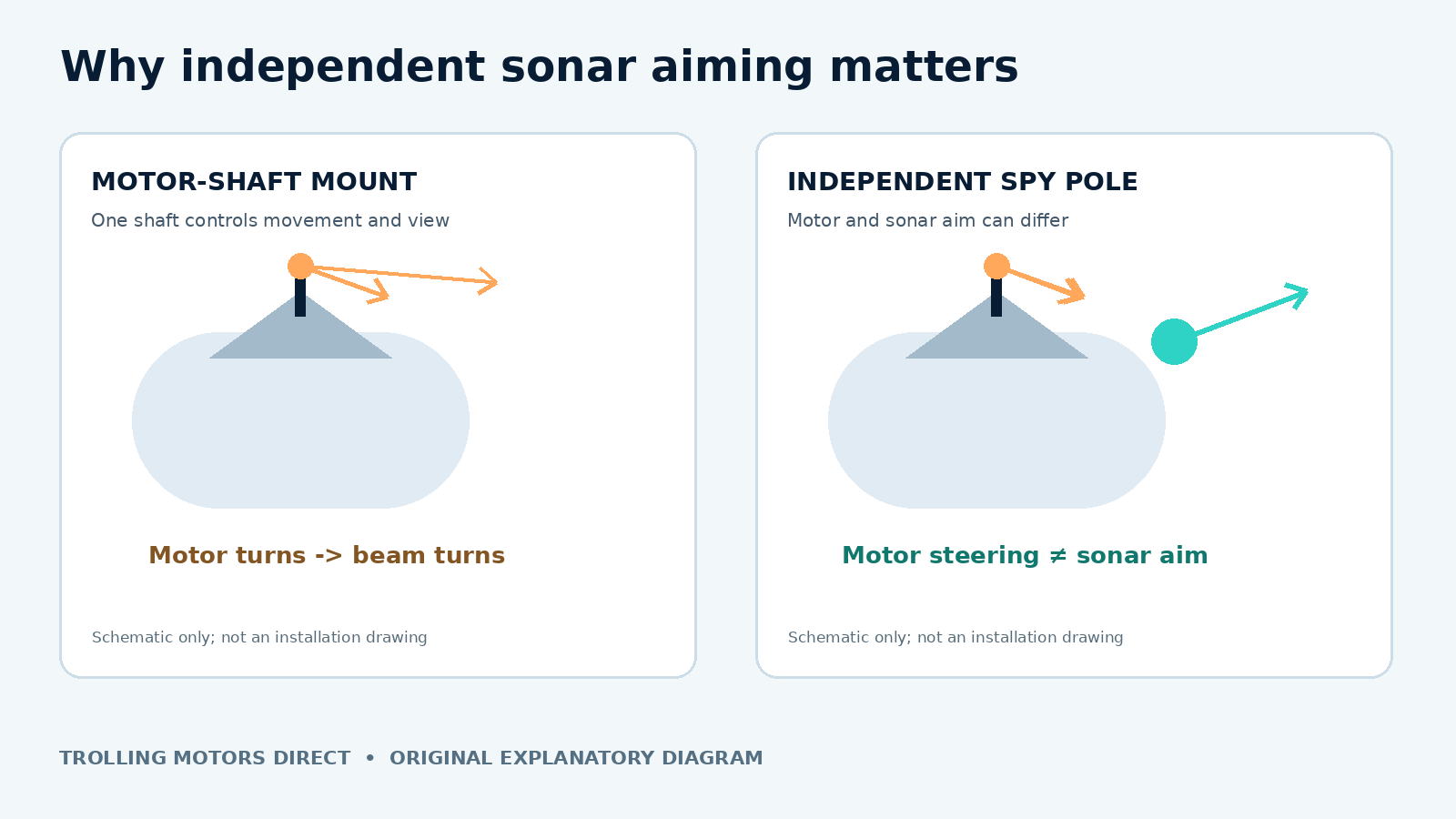
A trolling motor supplies thrust and steers the boat. A forward-facing transducer sends and receives sound in the direction it is aimed. When the transducer is fixed to a steering motor shaft or lower unit, the two directions are coupled: steer to correct the boat’s heading, and the sonar looks somewhere else too. That arrangement is simple, economical, and often perfectly adequate when you routinely cast in the direction you travel.
GPS Anchor Lock changes the trade-off. Rather than holding a fixed compass heading at every instant, the motor may steer and apply thrust to counter wind and current. As a result, the transducer can sweep away from a dock corner or suspended school even though the hull appears to be staying in the same general position. The beam’s apparent motion does not automatically indicate that the fish moved, the chartplotter lost GPS, or the trolling motor is defective.
An independently steered sonar pole gives the angler another degree of freedom. The motor can look after boat position while the sonar looks at a target. This is the central problem the motorized Spy Pole was designed to solve, according to Garmin’s March 10, 2026 announcement.
Picture a practical offshore casting situation
Imagine marking a small brush pile on a calm morning. With the transducer on the trolling motor, you can point the motor at the pile, see a fish beside it, and cast. As a crosswind builds, Anchor Lock calls for a correction. If the transducer follows that steering action, the brush moves sideways or disappears from the live view until you reacquire it. Changing your display’s range will not undo the physical movement of the transducer.
With a separate steerable pole, you can hold the sonar’s view toward the brush while the trolling motor makes corrections. You still need to account for hull swing, pole depth, obstructions, and the fact that a live-sonar beam is not an all-seeing camera. But separating aim from thrust removes one recurring source of confusion.
Three Spy Pole modes that anglers often mix up
SpyLock is about where the sonar looks
SpyLock is Garmin’s aiming feature for keeping a LiveScope view on a selected location. It is not the trolling motor’s Anchor Lock, and engaging it does not itself hold the boat in one place. Think of Anchor Lock as the boat-position tool and SpyLock as the sonar-pointing tool. They can be useful at the same time, but they operate different hardware.
A good use case is standing over a small isolated object while wind requires frequent motor correction. First establish a safe holding position; then target the object with your sonar. Watch that the fish or cover remains in the expected part of the screen, and remember that boat movement and changing sonar geometry can still affect what you see.
SpyScan is an active search pattern
SpyScan turns the pole through a scan pattern instead of asking you to continuously steer it. It helps when you know fish are likely to be in a zone but have not identified the precise cast. Scanning does not increase a transducer’s published maximum range or guarantee fish detection. Start with an open area free of protruding structure, then adjust the scan behavior using the controls supported by your specific chartplotter and firmware.
Use SpyScan for reconnaissance; switch to a deliberate, stable aim when you begin targeting an individual fish. Continuous searching while making a precise cast can be distracting, particularly when the boat is swinging at anchor.
SpyLink synchronizes pole and compatible motor controls
SpyLink connects steering behavior between Spy Pole and compatible Garmin Force-series trolling motors. The critical detail is what happens when the trolling motor is already in Anchor Lock. Garmin’s support documentation distinguishes Force/Force Pro/Kraken from Force Current: on Force, Force Pro, and Kraken, foot-pedal steering adjustments can turn the Spy Pole while Anchor Lock remains engaged; Garmin says Force Current power-steer pedal input disengages Anchor Lock. That is a behavioral distinction—not merely a bracket choice.
Do not extrapolate those controls to Lowrance Ghost, Recon, Minn Kota, or a third-party mount. An aftermarket bracket may hold a Spy Pole physically without creating Garmin-native motor/SpyLink interoperability. Check the pole’s own remote or foot control and the applicable software-supported features.
| Feature | What it controls | Appropriate use | Common misconception |
|---|---|---|---|
| Trolling-motor Anchor Lock | Boat-position corrections | Hold near structure or over a waypoint | It does not fix sonar pointing by itself |
| SpyLock | Spy Pole’s sonar aim | Watch a chosen target as the motor steers | It does not anchor the boat |
| SpyScan | Spy Pole scanning movement | Search for structure and fish | It is not an additional sonar transducer |
| SpyLink | Compatible Garmin motor/pole steering relationship | Integrate controls and keep fishing during Anchor Lock | A physical aftermarket mount does not prove electronic compatibility |
Force Pro versus Kraken: the mounting distinction that matters
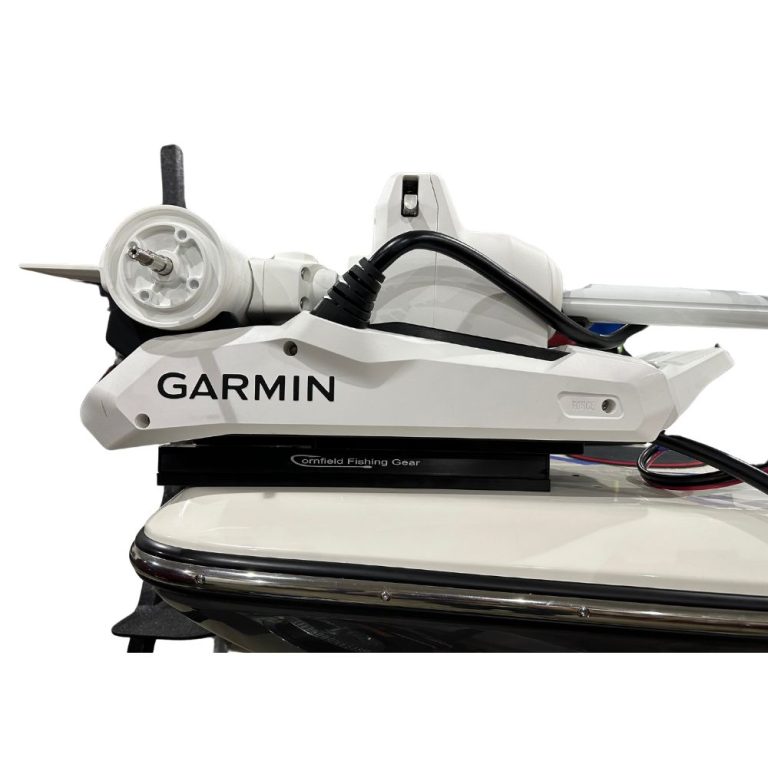
Force and Force Pro: Garmin’s direct-mount path
Garmin identifies the scissor-style Force and Force Pro as compatible with direct attachment of Spy Pole. The Spy Pole offered by Trolling Motors Direct is listed in 42- and 49-inch versions and its product description identifies a Force Pro mounting plate among the included hardware. That is a meaningful starting point, not a substitute for checking your exact motor, pole length, transducer arrangement, and the actual contents of the selected SKU before installation.
Check the whole stow/deploy sweep—not just whether the pole clears the lower unit while everything is deployed. The trolling motor changes position against the deck when it folds. A cable or accessory that clears in the water may pinch against the bracket, stabilizer, or bow rail once the motor rests on its mount.
Force Kraken: manufacturer path versus aftermarket offering
The Force Kraken uses a different pivot/shaft mounting architecture. Garmin’s Spy Pole compatibility guidance says its motorized pole cannot be mounted directly to Force Kraken or Force Current and must instead be mounted to the vessel with the gunnel accessory. That is the manufacturer-supported route described in the guidance consulted for this article.
Trolling Motors Direct also lists a separate aftermarket Spy Pole Kraken mount specifically described for 48- and 63-inch Kraken shafts. These are not identical claims: the store’s third-party bracket description addresses physical mounting, while Garmin’s published support guidance addresses Garmin-supported Spy Pole mounting. Before ordering an aftermarket Kraken bracket, ask the vendor to confirm the exact motor generation, shaft length, clearance, warranty implications, and whether Garmin recognizes that installation. Do not call it Garmin-approved merely because it is sold alongside Garmin hardware.
Garmin’s gunnel mount instructions also specify securing the quick-release levers when in use. Plan a secure structural mounting location and full trailering/stow clearance rather than relying on a temporary clamp that was not designed for the load.
What if the boat has a Lowrance or Minn Kota motor?
The store lists aftermarket Spy Pole mounts for several non-Garmin motors, including Lowrance Ghost and specific Minn Kota models. These are physical accessory options; they do not make a Lowrance or Minn Kota motor part of the Garmin Force wireless control ecosystem. Expect to aim a Spy Pole with its compatible independent controls unless Garmin documents otherwise for your exact setup. Confirm mount selection and transducer compatibility before checkout.
| Your motor | Manufacturer-supported starting point | Important decision before buying |
|---|---|---|
| Garmin Force / Force Pro | Direct Spy Pole motor mounting according to Garmin | Plate, pole length, stow travel and transducer/cable clearance |
| Garmin Force Kraken | Garmin’s vessel/gunnel mount route | Assess gunnel structure; treat aftermarket Kraken brackets as separate fit claims |
| Garmin Force Current | Garmin’s vessel/gunnel mount route | SpyLink pedal behavior during Anchor Lock differs from Force Pro/Kraken |
| Lowrance Ghost / other brands | Evaluate a purpose-built third-party bracket or independent vessel mount | No assumed Garmin-native motor synchronization |
Ten fit checks before the first hole, clamp, or order
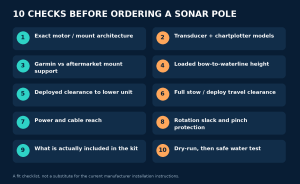
- Identify the exact trolling motor. Record brand, series, model, shaft length, and whether the mount is scissor-style or pivot-style. Similar-looking motors may use different attachments.
- Write down your sonar transducer and display. A pole is a mount and steering system; it is not a replacement for the correct live-sonar transducer, processor when needed, compatible chartplotter, or wiring.
- Choose the mounting authority. For Garmin direct mounting, read Garmin’s supported-motor list. For third-party brackets, get the bracket maker’s fit statement separately.
- Measure mounting height to the waterline. Include people and gear in normal fishing positions. Pole length and available adjustment matter more than the marketing number alone.
- Sketch the deployed footprint. Confirm that the transducer does not strike the trolling-motor lower unit, keel, gunwale, bow light, anchor roller, or a dock when turning.
- Sketch the stowed footprint. Verify that the entire pole, brackets, shafts, and cable loops clear the deck and stabilizers during the motor’s complete motion.
- Trace power and data routes. Check cable reach to the appropriate source and graph; verify manufacturer-specified power protection rather than borrowing a random accessory circuit.
- Preserve rotation and bending slack. Secure cables where specified, but never tie a moving cable so tightly that normal steering pulls on a connector or places a sharp bend at the transducer.
- Inventory actual included hardware. A separate transducer, special stabilizer, vessel mount, or adapter may not be included in the base pole listing. Double-check every SKU.
- Plan a dry-run and water test. Before drilling or committing to a new hole pattern, mock up the pole, photograph clearances, and verify the complete range of motion with the system safely powered as directed.
There is a useful order to these checks. If the mounting category is wrong, a longer cable will not fix it. If the transducer hits the boat, a different display will not fix it. Solve geometry before accessories and electronics settings. The seller’s fit-check service asks for boat model, bow height, motor, graph, transducer, and battery voltage; sending those details with photographs is more useful than simply saying you have a “Garmin boat.”
How to operate a two-control system on the water
First: test motor holding without sonar targeting
Pick calm, hazard-free water with room to maneuver. Deploy the trolling motor according to its manual. Practice normal steering and Anchor Lock before adding the complexity of a independently steered sonar pole. If the boat is not holding position, correct that problem separately; do not assume changing the sonar mount will improve GPS positioning. Keep people clear of the prop and moving hardware.
Next: point the sonar independently
With the pole safely deployed and clear of the motor, aim it at a fixed piece of structure you can identify. Note where it appears on the chartplotter. Change the trolling motor’s steering input in a safe operating mode and observe whether the sonar aim follows or remains independent. This is a practical control test, not a numerical accuracy certification.
Now use the pole’s documented SpyLock feature to hold a target, or SpyScan to sweep an area. Check what your chartplotter actually offers; not every interface has the same network or software support. For SpyLink, follow the compatible Garmin motor’s control instructions and test behavior in open water before trusting it near docks or submerged hazards.
Finally: make the fishing decision, not just an electronics decision
A sonar pole helps most when independent aiming makes a real difference to how you fish. If you normally cast along a bank in the same direction the bow moves, a correctly rigged fixed motor transducer may be enough. If you work individual suspended fish while Anchor Lock makes constant steering corrections, independent aim becomes much more valuable. If you drift long open-water passes, a scanning mode may matter more than station-keeping.
The Garmin Spy Pole product page is a useful shopping reference, but only place an order once you have identified the whole installation—not just the pole. A mounting plate, a gunnel solution, additional transducer hardware, or a stable power route can determine whether the project works.
Cost, complexity, and who should not buy one yet
A motorized pole adds separate control, moving parts, another power supply, more cable routing, and rigging time. That is a worthwhile trade-off for some anglers but not all. A manual independent pole can separate sonar aim from steering at lower mechanical complexity, while a motor-mounted transducer has the fewest added parts. For a concrete example of independent physical positioning, Trolling Motors Direct lists an over-the-side mount that holds compatible pole accessories; it is not automatically a substitute for Garmin’s own Spy Pole gunnel mount.
Do not buy because someone else’s live-sonar picture looks steadier in a short clip. First establish whether your issue is actually changing transducer heading, a moving hull, interference, an unsuitable transducer orientation, or an unstable physical mount. Only the first and related aiming limitations are directly solved by an independently steered pole.
The strongest buying question is not “Is Spy Pole better?” It is “How often does motor steering interrupt the target I am trying to watch, and what extra rigging am I willing to maintain to prevent that?”
Frequently asked questions
Does SpyLock keep my boat on the same GPS spot?
No. SpyLock controls the pole’s sonar aim. A compatible trolling motor’s Anchor Lock controls boat positioning. Using both can be useful, but they are not interchangeable.
Can I put Garmin Spy Pole directly on a Force Kraken?
Garmin’s published compatibility guidance directs Force Kraken owners to a vessel-mounted gunnel accessory, not direct motor mounting. A retailer offers an aftermarket Kraken-specific bracket; treat that as a third-party claim and confirm the precise installation and support implications before buying.
Will SpyLink work with my Lowrance Ghost just because I bought an adapter bracket?
Do not assume so. The store’s aftermarket bracket is a physical mount. Garmin’s documented SpyLink motor-integration behavior concerns compatible Force-series motors. Independent Spy Pole controls may still work, but native motor synchronization is a separate question.
Do I need a GT360UHD transducer to use Spy Pole with LiveScope?
No. Spy Pole can aim LiveScope. Garmin’s GT360UHD is an additional transducer for OneVü 360-degree scanning, not a prerequisite for every LiveScope pole setup. Confirm which transducer and cable routing your particular pole kit supports.
Why does the sonar target move even after I add an independent pole?
The hull may swing, the pole may move, the boat may change range from the target, or the transducer orientation may be wrong. An independent pole removes one cause—steering linkage—but it does not make the hull motionless or change sonar physics.
What should I send for a compatibility check?
Send the boat make/model, bow height, trolling motor make/model and shaft length, transducer model, chartplotter model, battery voltage, and photographs of the bow from above and from the side. The Trolling Motors Direct contact page provides the current contact channels.
Build the bow around your actual fishing method
If your live-sonar image wanders because Anchor Lock keeps turning a motor-mounted transducer, the answer may be independent sonar aiming—not a new fish finder. The Garmin Spy Pole can supply that separation, but only after you have confirmed motor-specific mounting, foot-control behavior, clearance, and what the box actually contains. Start with the fit checks, compare Garmin’s current documentation with the exact accessory being sold, and contact Trolling Motors Direct before ordering any model-specific parts.
Manufacturer documentation and further reading
- Garmin, Spy Pole announcement, March 10, 2026
- Garmin Support, Spy Pole trolling-motor compatibility and Anchor Lock behavior
- Garmin, Spy Pole gunnel mount adjustment instructions
- Trolling Motors Direct, Spy Pole product description
- Trolling Motors Direct, aftermarket Kraken bracket listing